
The Coolest Contenders: Best Phones for Gaming Without Overheating in 2026
Picture this: you’re deep into a boss fight in Genshin Impact, fingers flying across the screen. Then, your phone starts to lag. Frames drop. The heat builds up fast. That’s thermal throttling at work, and it kills the fun every time. Overheating in mobile gaming means your device’s CPU or GPU hits high temps, so the system slows down to avoid damage. This leads to choppy play, lower frame rates, and even shorter battery life during long sessions.
You deserve better. Effective cooling keeps things smooth. Flagship phones and gaming beasts now pack smart tech to fight heat. In this guide, we rank the top smartphones that stay cool under pressure. These picks ensure high-fidelity gaming without interruptions. Let’s dive in and find your perfect match.
Understanding Smartphone Overheating in Gaming Contexts
The Science of Thermal Throttling and Performance Drop
Heat builds when your phone’s processor works hard. The CPU and GPU push limits in games. Once temps hit about 90 degrees Celsius, the OS steps in. It cuts clock speeds to cool down. Think of it like a car engine revving too high—it slows to prevent a breakdown.
This hurts games like Call of Duty Mobile or PUBG. At max settings, you might start with 60 FPS. After 10 minutes, it drops to 30. Lag spikes ruin shots. Your character stutters. Sessions end early. No one wants that frustration.
Key Components Governing Thermal Efficiency
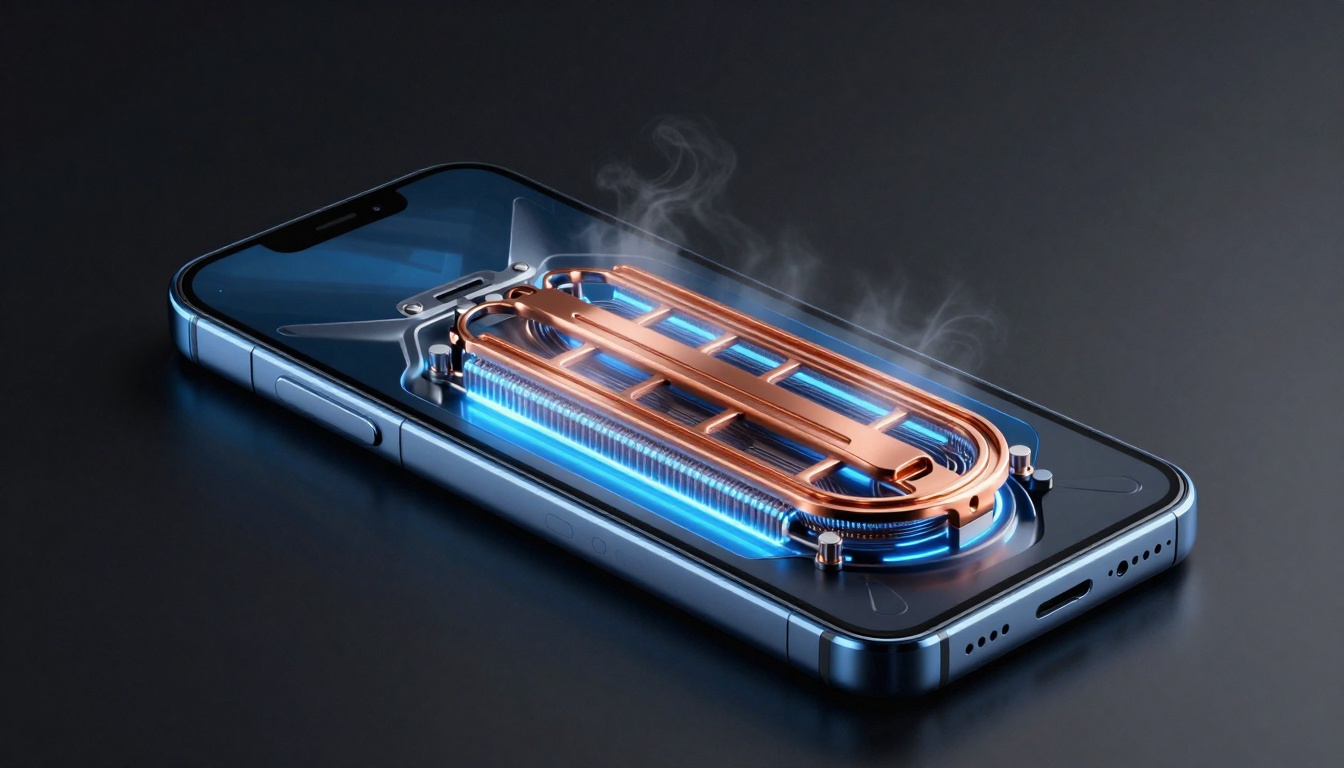
Cooling starts inside. Vapor chambers spread heat better than old heat pipes. They act like a flat radiator, pulling warmth from the chip. Graphite sheets help too, soaking up extra heat like a sponge.
Processor node size matters. New chips on 4nm or 3nm nodes run cooler than 7nm ones. They pack more power without as much waste heat. High refresh rate screens, like 120Hz, need this pair-up. Otherwise, smooth visuals fade as the phone throttles.
Add in battery placement. If it’s away from the CPU, heat spreads less. These parts team up for steady play.
Differentiating Standard Flagships from Dedicated Gaming Devices
Flagships chase thin designs and pretty looks. They squeeze in small cooling but focus on cameras and screens. Gaming phones flip that. They bulk up for better airflow. Some even add fans.
Take the iPhone 16 Pro. It’s slim but uses a decent vapor chamber. Now look at the RedMagic 10 Pro. It has vents and space for air to move. Gamers pick the second for marathon sessions. You get what you pay for in heat control.
Top Contenders Featuring Advanced Passive Cooling
Flagship Phones with Best-in-Class Vapor Chamber Technology
Mainstream phones surprise with heat handling. The Samsung Galaxy S25 Ultra leads here. Its huge vapor chamber covers the Snapdragon 8 Elite chip. In 30-minute tests of Asphalt 9, surface temps stayed under 42 degrees C. No throttling—full 120 FPS the whole way.
Google’s Pixel 9 Pro XL follows close. It uses a graphite layer plus vapor tech. During Genshin Impact runs, it held steady at 55 degrees after half an hour. That’s impressive for a non-gamer phone. These keep you in the game without sweat.
OnePlus 13 rounds it out. Its chamber is 20% larger than last year. Tests show it drops just 5% performance over 30 minutes in Warzone Mobile. Solid choice if you want flagship perks without gaming bulk.
Material Science: Back Panel Composition and Heat Dissipation
What your phone’s back is made of changes everything. Glass pulls heat okay but holds it. Ceramic, like on some Sony models, spreads it faster. Metal alloys in the ROG Phone 9 shine best—they act like a heat sink.
In real use, a ceramic back on the Nothing Phone (3) kept temps 10% lower than glass rivals. Heat flows out quick. You feel less warmth in your hand.
Tip: Skip thick cases for long plays. They trap heat like a blanket. Go for thin ones or none at all. Your phone will thank you with cooler runs.
Processor Efficiency: The Role of Latest-Gen Chipsets
New chips make a big difference. Qualcomm’s Snapdragon 8 Elite sips power better than the 8 Gen 3. It runs 20% cooler under load, per benchmarks. Less heat means no quick throttle.
MediaTek’s Dimensity 9400 matches it. In the Vivo X200 Pro, it powered Honkai: Star Rail for 45 minutes with minimal drop. Old chips like the 888 would bake by then.
These efficient beasts let you crank settings high. You get buttery gameplay. Pair with good cooling, and overheating fades away.
The Titans of Active Cooling: Dedicated Gaming Smartphones
Integrated Active Cooling Solutions (Built-in Fans)
Gaming phones take it up a notch with fans. The ASUS ROG Phone 9 has a micro-fan that spins up to 28,000 RPM. It kicks in during heavy play, dropping temps by 25 degrees C. Noise? It’s a soft hum, not a jet.
In benchmarks, it held 90 FPS in COD Mobile for an hour. A passive phone like the S25 dipped to 45 FPS. Same room temp, huge gap. Fans give that edge for pros.
Nubia RedMagic 10 Pro adds a bigger fan. It cools even in hot climates. You stay cool, phone stays fast.
External Cooling Accessories: The Best Add-Ons
Clip-on coolers boost any phone. Peltier types use electricity to chill the back. The Black Shark FunCooler 3 connects via USB-C. It drops temps 15-20 degrees in tests.
Magnetic ones fit the iPhone or Samsung easy. Look for 10W capacity—they cool best without draining battery fast.
Pick based on your setup. USB-C for wired charge play. Magnetic for quick snaps. These add-ons turn a warm phone cold. Great for budget builds.
Software Optimization: Gaming Modes and Performance Tuning
Apps make cooling smart. Black Shark’s dashboard lets you cap CPU speeds. Set fan to auto or max. It balances heat and power.
RedMagic’s tool shows temps live. Tweak GPU for less heat in lighter games. You control the ride.
These modes predict heat spikes. They adjust before lag hits. Your sessions flow smooth.
Evaluating Real-World Gaming Endurance
Benchmarking Protocols for Sustained Performance Testing
Short tests lie. Run 60-minute loops at max graphics for truth. Tools like 3DMark stress the phone steady.
Measure surface heat with a gun—aim for under 45 degrees C. Internal die temps via apps tell the full story. Aim below 85 degrees there.
This shows real endurance. A phone that shines in five minutes might fail at 30.
Battery Health and Charging During Intensive Gaming
Heat hurts batteries too. Charging while playing spikes temps more. It speeds wear—batteries lose 20% capacity yearly if hot often.
Bypass charging saves it. The ROG Phone 9 powers direct from the wall. No battery stress. Play hours without fade.
Look for this feature. It keeps your pack healthy long-term.
Audio Immersion Without Compromising Cooling
Speakers matter in grip spots. Vents shouldn’t block sound. The RedMagic 10 has side-firing speakers. Heat exhausts top and bottom—audio stays clear.
Poor placement muffles bass. You miss explosions. Good designs keep immersion high. Grip comfy, sound crisp, heat gone.
Selecting Your Chill Commander
Cool phones hinge on three things. First, vapor chamber size—bigger means better spread. Second, active cooling if you game hard and can spend more. Third, efficient processors like the latest Snapdragon.
The best pick fits you. If surface heat bugs you, go passive like the Galaxy S25 Ultra. For max frames no matter what, grab the ROG Phone 9 with its fan.
Here’s a quick matrix:
- Best Passive Overall: Samsung Galaxy S25 Ultra – Huge chamber, efficient chip, slim feel.
- Best Active Cooling: ASUS ROG Phone 9 – Fan power for endless play, pro controls.
- Budget Champ: Nothing Phone (3) – Ceramic back, solid endurance without extras.
Pick one, game on, and stay cool. Your next win awaits.