Smartphone Storage Wars 2026: Determining Your Essential Capacity Needs

Picture this: You’re scrolling through your photo gallery, and suddenly, that new 8K video clip you just shot won’t save. Your phone flashes a low-storage warning. Frustrating, right? As we hit March 2026, smartphones pack more power than ever, but they also gobble up space like never before. Data use has exploded with 4K and 8K videos, beefy apps, and AI features that live right on your device. Back in 2024, 128GB felt plenty for most folks. Now? It’s barely enough to get by. We’re talking about future-proofing your next big buy. Why settle for a phone that forces constant cleanups when you can pick one that lasts your whole upgrade cycle? Let’s break down how much storage you truly need in 2026 to keep things smooth.
Analyzing the Current Storage Consumption Baseline
Operating System and Core App Footprint
Modern phone operating systems take up more room each year. Take iOS 20 or Android 15—they start at around 15-20GB just for the basics. That’s before you add any apps. Pre-installed tools like maps, email, and browsers add another 5-10GB right away. Over time, updates pile on. A single major OS patch can eat 2-3GB more. You end up with less free space than you planned. It’s like your phone’s brain growing fatter without asking.
The Ascendancy of High-Resolution Media
High-res photos and videos are the real space hogs. A single 4K photo at 60fps bursts to about 50MB. Switch to 8K, and you’re looking at 200MB per shot. Videos? A one-minute 8K clip clocks in at 1-2GB. By 2026, phone cameras hit these standards as default. If you snap 100 photos a week, that’s 5-10GB gone fast. Families with kids’ events or travel pics fill drives even quicker. Think about it—your vacation memories shouldn’t mean deleting half your library.
App Bloat and Advanced Gaming Demands
Apps keep getting bigger too. Social media giants like Instagram or TikTok cache videos locally, grabbing 5-10GB over months. Gaming? Open-world titles such as the latest Genshin Impact sequel or mobile Call of Duty versions demand 10-20GB each. You install three big games, and poof—60GB vanishes. Background downloads for updates add to the mess. Casual players might not notice at first. But power gamers feel the pinch when storage maxes out mid-session.
The Impact of Future Technology on Storage Needs
AI Integration and On-Device Processing
AI is everywhere in 2026 phones, and it lives on your device for speed. Local models for photo editing or voice assistants need 5-15GB for weights and caches. Generative tools, like those creating art from your sketches, store temp files that build up. Run a few AI tasks daily, and you’ll see 2-5GB used weekly. Cloud versions save space but slow you down on spotty Wi-Fi. Local processing keeps things zippy, but it demands room. Your phone’s smarts come at a storage cost.
Cloud Reliance vs. Offline Access Trade-offs
Cloud storage sounds great—upload everything to Google Drive or iCloud and free up space. But real life isn’t always online. Offline access for music, maps, or docs requires local copies. Streaming services like Netflix cache shows at 1-3GB per episode in HD. Bandwidth caps in rural areas or during travel make cloud less reliable. Plus, pulling files from the cloud can lag. Keeping key stuff local ensures you stay productive. Balance is key: Use cloud for backups, but hold essentials on-device.
VR/AR Content and Spatial Computing Requirements
Mixed reality apps are booming by 2026. VR games or AR filters pull in 3D models that hit 500MB-1GB each. Spatial scans for home design apps save room layouts at 2-5GB per project. As these go mainstream, expect daily use to add 10GB monthly. High-fidelity assets for work or play need quick loads—no waiting for downloads. If you’re into virtual meetings or augmented shopping, this tech will reshape your storage habits. It’s exciting, but it pushes capacities higher.
Defining User Archetypes and Recommended Capacities for 2026
The Minimalist User Profile (Light Use)
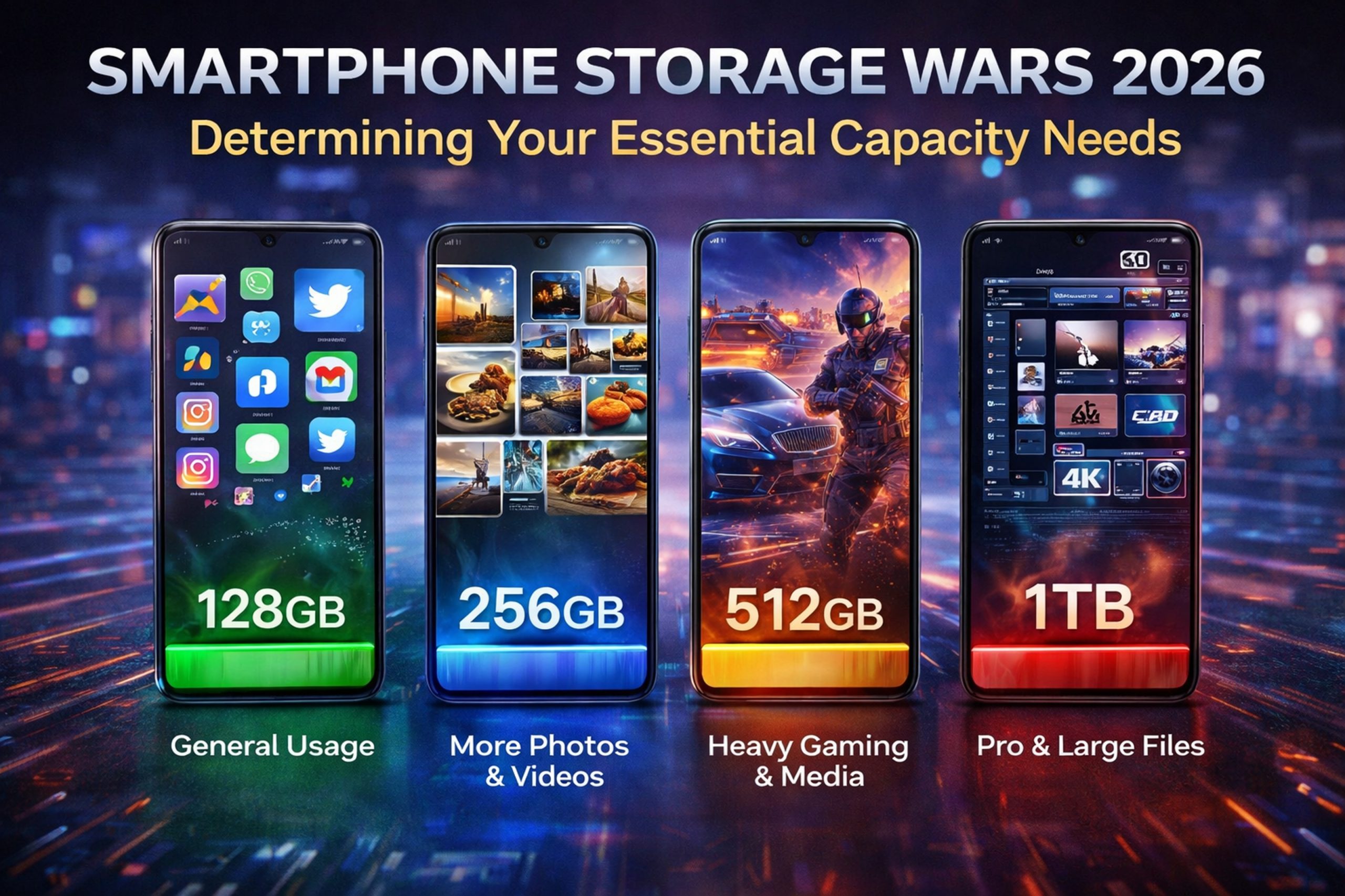
You stick to texts, calls, and basic web surfing. Maybe some cloud-streamed tunes or emails. For this setup, 256GB works fine in 2026. OS and core apps take 30GB. Light media and a few apps add another 50GB. You offload pics to cloud right away. This tier avoids headaches for simple needs. It’s the entry point, but even minimalists might outgrow it in a year.
- Daily habits: Quick social checks, no video edits.
- Space savers: Auto-delete old messages; stream everything possible.
- Why 256GB? Leaves 150GB free after setup—plenty for basics.
The Average Power User Profile (Balanced Consumption)
This is you if you snap photos often, run several apps, and save videos offline. Think family pics, work docs, and some gaming. Aim for 512GB. It covers OS bloat at 30GB, media at 100-200GB, and apps at 100GB. Updates won’t squeeze you tight. Most folks fall here as media grows. It’s the sweet spot for smooth sailing.
- Common activities: Photo bursts on trips; download podcasts and shows.
- Growth factor: AI features add 50GB over time.
- Recommendation: 512GB ensures you won’t hit limits mid-year.
The Prosumer/Creator Profile (Maximum Demand)
Creators shoot pro videos, edit on the go, and juggle huge files. You need 1TB or more. High-res footage alone can eat 500GB fast—a 4K project hits 100GB easy. Editing apps cache layers, adding 50-100GB. Offline VR tools push it further. Top phones offer this, but it costs extra. For pros, it’s worth it to avoid workflow stops.
- Intense tasks: 8K filming, 3D modeling, multi-app workflows.
- Pro tips: External drives help, but internal speed matters.
- Why 1TB? Handles peak loads without constant offloads.
Strategies for Maximizing Storage Longevity
Effective Cloud Management Techniques
Smart cloud use stretches your space. Set up auto-backups for photos—Apple’s iCloud or Google’s service handles it seamless. Tier your storage: Keep recent files local, archive old ones. Apps like Dropbox let you stream docs without full downloads. This frees 50-100GB quick. Watch for free tiers—they cap at 15GB, so upgrade if needed. Mix cloud with local for best results.
- Enable photo optimization: Phones shrink local copies while keeping full versions online.
- Schedule weekly cleanups: Review and upload unused files.
- Use multi-device sync: Access from laptop to reduce phone clutter.
Mastering the “Storage Settings” Menu
Dive into your phone’s settings to reclaim space. Clear app caches—social apps hoard 1-5GB of junk. For iOS, go to Settings > General > iPhone Storage. Android has a similar spot under Storage. Delete old downloads from messages; they add up to 10GB. Manage music libraries by offloading tracks you rarely play. These tweaks save 20-50GB monthly. It’s simple but powerful.
- Cache clear: Hit “Offload Unused Apps” to keep icons but ditch data.
- Media tweaks: Compress videos before saving; delete duplicates.
- Platform note: Both OSes flag big files—act on those alerts.
Evaluating Manufacturer Storage Tiers vs. Price Point
Phone makers charge a premium for more space. A 256GB model might cost $100 extra over 128GB, but cost per GB drops at higher tiers. For 512GB, it’s often $150 more—worth it if you hit limits fast. Check reviews for expandable options, though few phones have slots now. Weigh your habits: Light users skip upgrades. Heavy ones save headaches later. Run a quick audit of your current phone to predict needs.
- Base vs. high-end: 128GB suits basics; 1TB for creators.
- Value calc: Divide price difference by GB gained.
- Long-term view: Higher storage means fewer mid-cycle buys.
Conclusion: Investing Wisely in Future Capacity
Storage needs in 2026 have shifted big time. Base models at 128GB will cramp most styles with AI growth and media boom. Average users thrive on 512GB, while creators grab 1TB. We’ve seen how OS bloat, high-res files, and new tech like VR push demands up. Don’t get caught short—pick one tier above what you think you need. That way, your phone stays zippy for two or three years. Ready to upgrade? Audit your current setup today and choose smart. Your future self will thank you.